


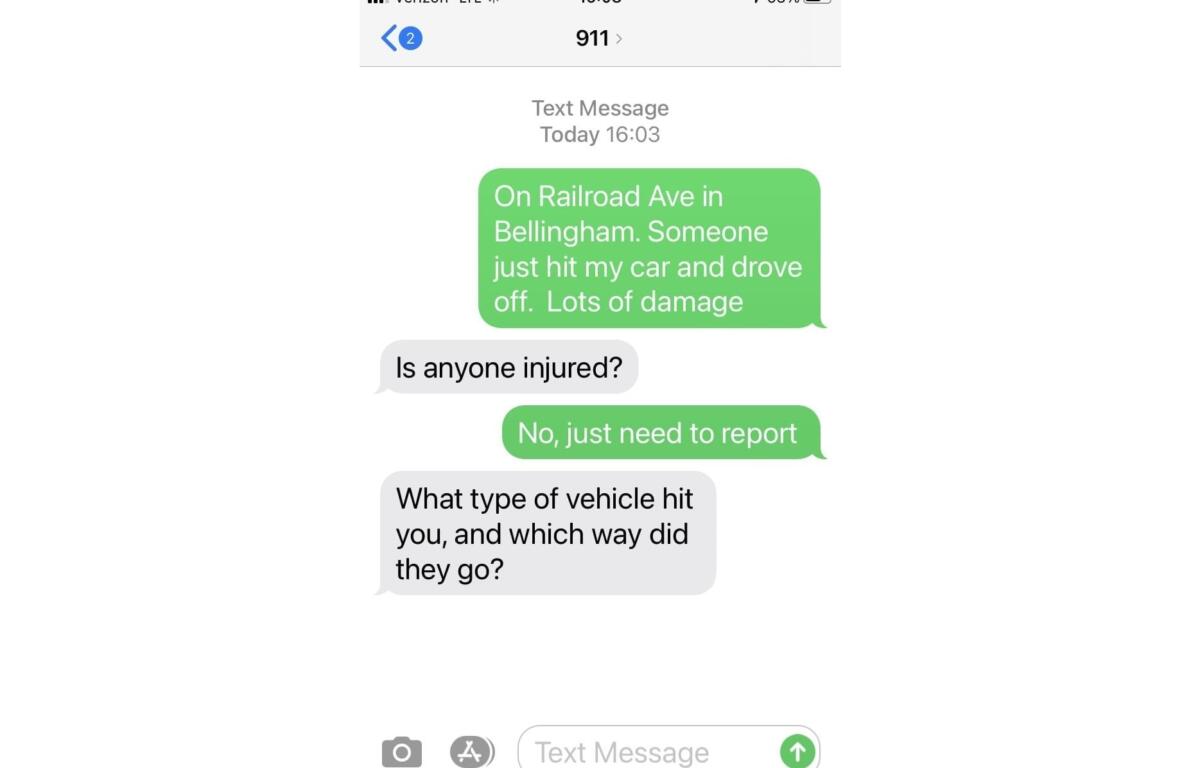

BELLINGHAM, Wash. — What-Comm 911 has rolled out a new service for cell phone users in Whatcom County.
Text-to-911 is intended for use by those who are deaf, hard of hearing or who may have a speech difference.
It will also work for someone who is in a situation where it’s not safe to place a voice call to 911, as well as someone who finds themselves in a medical emergency that renders them incapable of speech but able to text.
Text-to-911 can also be used if the cell phone user is in a local where coverage is spotty but a text would go through.
There are a few things one should know about how Text-to-911 works:
- You must have a text or data plan for your cell phone to place a Text-to-911 message;
- Enter “911” into the “to” or “recipient” field;
- The first message should be location and type of help needed, for instance, “1234 Main Street, Bellingham, need ambulance for injury;”
- Press “send” and stay with your phone;
- Be prepared to answer questions, via text, use full words, keep messages concise; and
- Follow instructions from the 911 operator.
There are some things which the Text-to-911 system cannot handle:
- Emojis – the entire text will not send if emojis are used;
- Photos/videos – What-Comm 911 is not equipped to receive photos or videos via Text-to-911; and
- Links or URL’s – What-Comm 911 is not equipped to receive a URL via Text-to-911.
For more details and updates about Text-to-911, visit the City website.